
Unlocking Growth with Social Media CRM Software
Think of social media CRM software as the brain that connects all your company's social media conversations. It’s the difference between hearing random snippets of noise and understanding the full story behind every customer interaction. This software scoops up all those scattered DMs, comments, and brand mentions and organizes them into a single, coherent customer profile.
What Exactly Is Social Media CRM Software
Ever tried to follow a story told by three different people at once? You get bits and pieces, but the full picture is a mess. That's what managing customer relationships on social media feels like without the right tool. You've got a DM on Instagram, a mention on X, and a comment on a Facebook ad—all from the same person, but they look like strangers to your team.
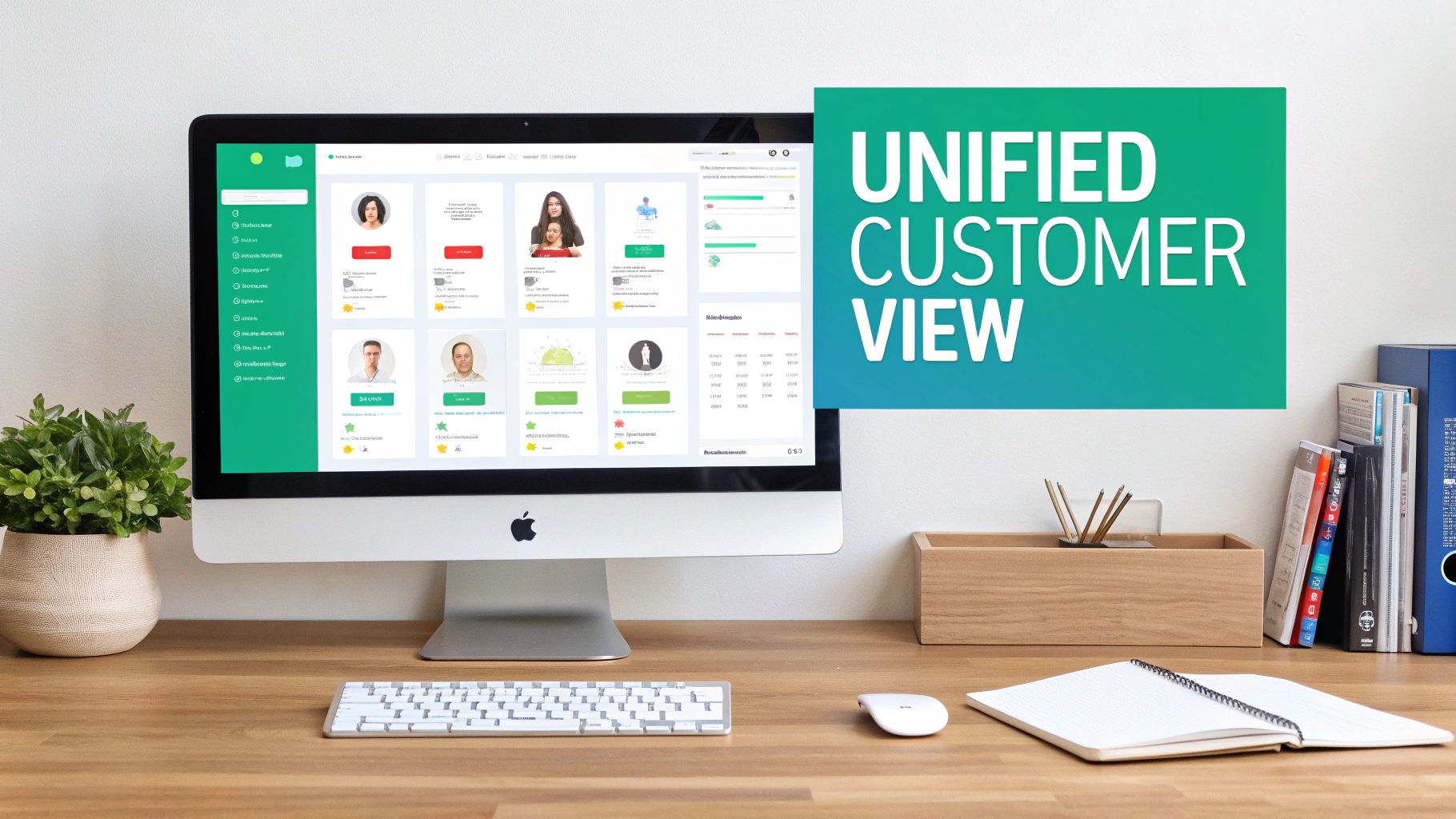
A social media CRM is designed to fix this. It pulls all those fragmented conversations from every platform into one place. But it does more than just collect messages; it connects them to a single customer profile, giving you a complete, 360-degree view of their history with your brand. This way, your team can stop giving robotic, one-off replies and start having intelligent, proactive conversations.
From Scattered Data to a Unified View
At its core, this software is the bridge between the chaos of social media and your organized customer database. Instead of just seeing a tweet from an anonymous handle like "@User123," you see a rich profile that shows every single interaction that person has ever had with you.
Why is that such a big deal? Because context changes everything.
- For support teams: When a customer complains, you can instantly see if they're a long-time advocate who's genuinely frustrated or someone with a history of issues. That context helps you tailor the perfect response.
- For sales teams: Someone asking for recommendations in a public forum isn't just a random user. If your CRM shows they've also been liking your product posts, they're a warm lead ready for a conversation.
- For marketing teams: By seeing all the conversations in one place, you get a much clearer read on what your audience actually cares about. This is gold for planning your next campaign.
It’s all about turning faceless social media accounts into real, understood people. This is a fundamental concept behind modern customer intelligence platforms, which focus on creating a single source of truth for every customer.
The Growing Importance of Social CRM
The market growth alone tells you how essential these tools have become. Valued at around USD 12.5 billion in 2023, the global Social CRM market is expected to rocket to roughly USD 29.2 billion by 2032. This explosion is happening because companies finally realize that real-time conversations on social media are a treasure trove of business signals that they can't afford to ignore.
A social media CRM doesn’t just help you manage conversations; it helps you understand the people behind them. It provides the memory and context that human agents can't possibly retain across thousands of interactions, ensuring every customer feels heard and valued.
Ultimately, bringing a social media crm software solution into your business is a strategic move. It's an acknowledgment that your customers' social activity isn't just noise—it's vital business intelligence. When you capture, organize, and analyze it, you empower every team to build stronger and more profitable customer relationships.
The Key Features That Drive Customer Engagement
A social media CRM is more than just a place to store old conversations. It's an active engine built to forge and strengthen customer relationships. Its real power comes from a handful of core features working in concert to turn the chaotic noise of social media into clear, actionable opportunities.
These tools are the gears that transform raw social data into meaningful connections. Each one tackles a specific challenge, from handling the sheer volume of messages to understanding the subtle clues hidden in a customer's post. Let's break down the essential components that make these platforms a must-have.
The Unified Social Inbox
Picture trying to manage customer service by running between five different storefronts, each with its own line of customers. It’s a recipe for burnout and missed opportunities. A Unified Social Inbox solves this problem by pulling all your social media conversations—DMs, comments, mentions, and replies—into one clean, organized feed.
This isn't just about making life easier; it's about control and speed. Instead of jumping between X, Instagram, Facebook, and LinkedIn, your team works from a single command center. This guarantees no message gets lost, which is critical when 42% of consumers expect a response on social media in under an hour.
With a unified inbox, your team can:
- Assign conversations to the right person, so sales questions go to sales reps and support issues go to service agents.
- Tag and label messages to sort them by topic, urgency, or sentiment.
- Chat internally with notes and mentions that are invisible to the customer, making sure everyone is on the same page for a consistent reply.
Advanced Contact Profiles
The inbox gathers the messages, but Advanced Contact Profiles tell you the story behind the person sending them. Every time someone interacts with your brand, the social CRM logs it and attaches it to their profile, creating a living history of your relationship.
Instead of seeing just another tweet, your agent sees a complete timeline. They know if this person is a hot lead, a long-time customer, or someone who had a support issue last month. That context is the difference between a generic, robotic reply and one that feels personal and actually solves the problem.
Think of it like this: a regular social media feed is like meeting a room full of strangers every single day. An advanced contact profile is like having a detailed dossier on every guest, instantly reminding you of your past conversations and their importance to your business.
This historical data gives your team the power to make smarter decisions on the fly, tailoring every interaction to that specific customer's journey.
AI-Powered Intent Detection
Not all social media chatter is created equal. A brand mention could be a happy customer singing your praises, an angry user venting, or—most importantly—a potential buyer who’s about to make a decision. AI-Powered Intent Detection is what helps you spot the difference.
This tech uses natural language processing (NLP) to scan conversations for words, phrases, and sentiment that signal buying intent. It automatically flags posts where people are:
- Asking for recommendations for a product just like yours.
- Complaining about a competitor’s service.
- Expressing frustration with their current setup.
For example, the AI can tell the difference between someone casually mentioning your tool and someone tweeting, "I wish my project management tool had better integrations." That second tweet is a high-intent signal, a golden opportunity for a sales rep to jump in. This proactive approach transforms social media from a simple marketing channel into a powerful lead generation machine.
Comprehensive Analytics and Reporting
So, how do you prove all this social media effort is actually paying off? Comprehensive Analytics and Reporting gives you the answer. These dashboards go way beyond vanity metrics like likes and followers to measure what really moves the needle for the business.
A solid social CRM tracks key performance indicators (KPIs) that tie social activity to real business results, showing you exactly how your team and strategy are performing.
Key metrics often include:
- Average Response Time: How fast is your team getting back to people?
- Resolution Rate: What percentage of support issues on social media are actually getting solved?
- Leads Generated from Social: How many qualified leads did your sales team snag from social channels?
- Sentiment Analysis: Is the overall vibe around your brand positive, negative, or neutral?
By tracking this data, you can show a clear ROI to leadership, fine-tune your team’s performance, and make smarter decisions to improve how you engage with customers. These features work together to make sure every social interaction is a chance to build a stronger relationship.
How Marketing, Sales, And Support Teams Win With Social CRM
A social media CRM isn’t a tool that lives in just one department’s toolbox. Think of it as a shared hub where marketing, sales, and support teams all come together, finally breaking down the walls that create those disjointed, frustrating customer experiences. When these teams operate from the same playbook, they turn fragmented interactions into one seamless journey for the customer.
With a social CRM, everyone is on the same page. Marketing teams, for example, can use this unified data to build much more effective social media marketing strategies that actually boost engagement and drive sales. This kind of teamwork is what turns a good tool into a game-changing asset.
Marketing Teams Craft Better Campaigns
For marketers, a social CRM is like having a real-time focus group that never clocks out. It gives you a direct line into what your audience is really thinking and feeling, showing you how campaigns are landing moment by moment. You can finally move beyond surface-level metrics and measure the actual emotional response to your content.
This lets you spot what's working and double down on it, or quickly pivot away from a message that's falling flat before it does any real damage.
Key marketing wins include:
- Real-Time Campaign Tracking: Monitor brand mentions and sentiment during a product launch to get an instant read on public reception.
- Audience Segmentation: Group your audience based on how they talk about your industry, not just their demographics.
- Influencer Identification: Find authentic micro-influencers who already love your products and are recommending them to their followers.
This diagram shows how a social CRM’s core features—the inbox, profiles, and analytics—come together to create a complete system for customer engagement.
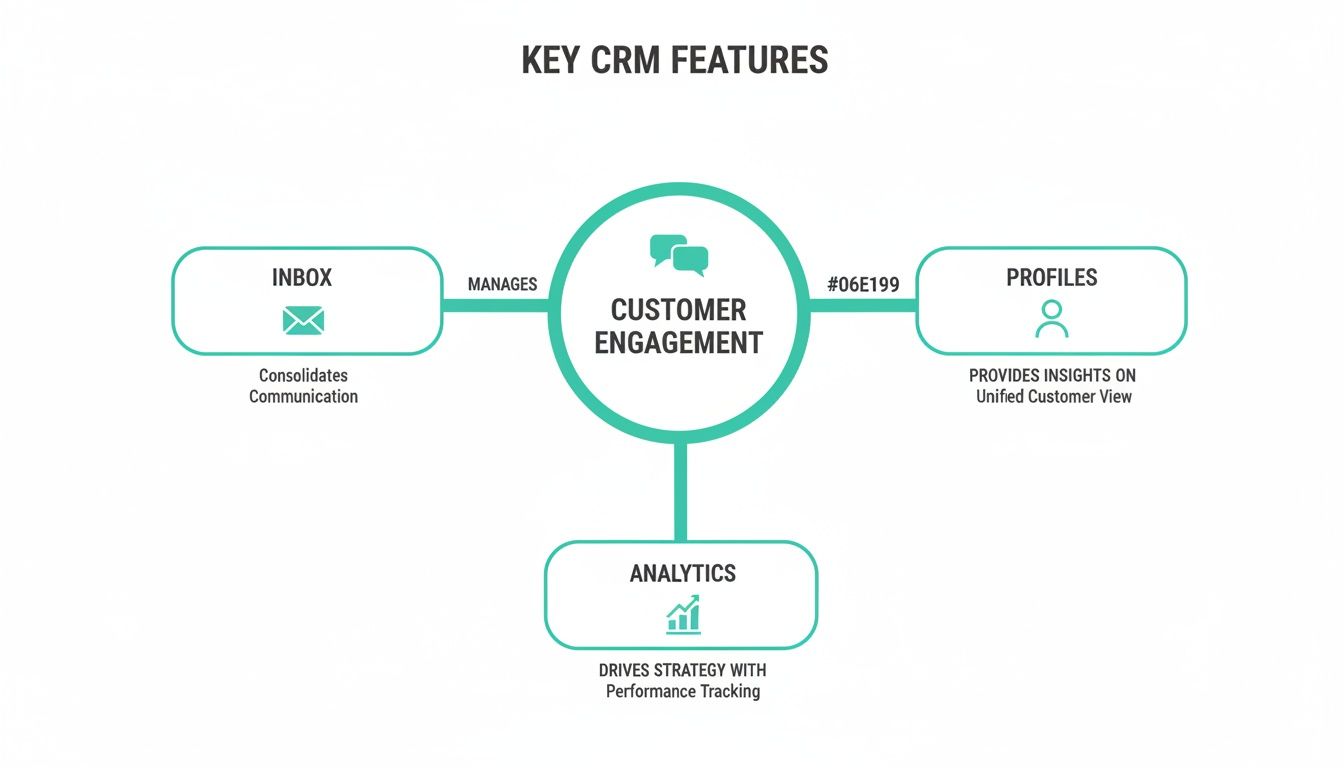
By weaving these functions together, the software ensures every team has the context they need to respond effectively, turning scattered data points into strong relationships.
Sales Teams Uncover Hidden Leads
Sales teams can finally ditch the cold calls and start social prospecting with incredible precision. A social media crm software solution actively scans social platforms for high-intent signals, turning passive listening into an active lead-generation machine. It finds people who are actively looking for a solution your product solves.
Imagine someone on X asking for recommendations for a new project management tool. Your social CRM flags this as a potential lead, builds a profile, and pings a sales rep.
The rep can then jump in with a helpful, timely response, already knowing this person also follows industry leaders who use your software. Just like that, a random social post becomes a warm, qualified lead.
With a social CRM, sales teams no longer need to search for a needle in a haystack. The software acts as a magnet, pulling the most valuable conversations directly to them and highlighting users who are ready to buy.
This shift from broadcasting a message to joining a targeted conversation dramatically improves conversion rates. It allows sales pros to enter discussions where they’re actually wanted and can provide immediate value.
Support Teams Build Public Trust
For customer support, a social CRM is both a shield and a megaphone. It helps agents manage and resolve issues quickly while demonstrating a public commitment to customer happiness. A negative tweet isn't just a problem anymore; it's a chance to show off exceptional service on a very public stage.
Think about a customer who publicly complains about a shipping delay. The social CRM instantly routes this to the support team.
The agent can see the customer's entire order history and past interactions, letting them provide a personalized, informed solution. Once it's resolved, the public thread shows a brand that listens and cares, turning a potential PR headache into a positive brand moment.
This kind of insight is fast becoming the standard. Today, about 80% of global brands use social listening and analytics to keep an eye on their reputation. And by 2025, it's projected that nearly 69% of users will rely on sentiment-analysis dashboards to spot trends and manage crises before they escalate.
Social CRM Use Cases by Department
To see how this plays out in the real world, let's look at how different departments use a social CRM to hit their specific targets. The tool might be the same, but the goals and outcomes can be quite different.
| Department | Primary Goal | Key Features Used | Example Outcome |
|---|---|---|---|
| Marketing | Increase brand awareness and generate qualified leads. | Sentiment Analysis, Audience Segmentation, Campaign Tracking | A campaign is adjusted mid-flight based on real-time feedback, leading to a 25% increase in positive engagement. |
| Sales | Identify and convert high-intent prospects. | Intent Signal Detection, Contact Profiles, Lead Routing | Sales team engages 50 new warm leads in a month by responding to social media buying signals. |
| Customer Support | Resolve issues quickly and improve customer satisfaction. | Unified Inbox, Interaction History, Case Management | Support team reduces average response time by 40% and turns three public complaints into positive reviews. |
As the table shows, a social CRM acts as a central nervous system for the company. It connects what marketing learns to how sales engages, and ensures support has the full picture to create happy customers. This alignment is where the magic really happens.
Choosing The Right Social Media CRM For Your Business
Picking the right social media CRM software can feel overwhelming. You're faced with dozens of options, and they all seem to promise the moon. It's way too easy to get bogged down in flashy feature lists and marketing buzzwords.
The trick is to ignore the noise and zero in on what actually matters for your team. A good social CRM should slide right into your daily workflow and grow with you. The right tool feels like a new team member, while the wrong one quickly turns into expensive, clunky software nobody uses.
Let's walk through a simple checklist to help you make the right call.
Your Social CRM Buyer's Checklist
Before you even think about booking a demo, run any potential platform through this gauntlet of questions. This will help you find a true partner, not just another piece of software.
- Does it play well with my other tools? Your social CRM absolutely must connect to your main CRM (like Salesforce or HubSpot), your helpdesk, and any other critical software you use. If it doesn't, you'll end up with frustrating data silos, which is the exact problem you're trying to solve.
- Is it actually easy to use? Be honest. If the dashboard is a mess and your team needs a week of training just to find their way around, adoption will plummet. Look for a clean, logical interface that lets your team manage conversations and pull reports without calling for help.
- Can it grow with us? A tool that works for a two-person team might completely fall apart when you scale to twenty. Ask directly about how it handles a higher volume of social media messages, more user seats, and new social profiles without slowing down.
- What kind of support will I get? Things will go wrong; they always do. When that happens, you need to know help is available. Find out what’s included in your plan. Are you stuck with email-only support that takes 48 hours to reply, or do you get a dedicated account manager and live chat?
Focusing on these practical points will help you weed out the tools that look great in a sales pitch but don't hold up in the real world.
Understanding Pricing Models
Social CRM pricing can be a real headache. The models are often designed to make side-by-side comparisons tricky, so it pays to know what you're looking at. This helps you figure out the true cost and avoid any nasty budget surprises. For a deeper look at how major players structure their pricing, this Salesforce vs HubSpot CRM comparison offers some great insights.
Most companies use one of these three pricing structures, or sometimes a blend of them:
- Per-Seat Pricing: Simple and straightforward. You pay a monthly fee for every user who needs access. This works well for small teams but can get pricey fast as you grow.
- Per-Profile Pricing: Here, the cost is tied to the number of social media accounts you connect (e.g., one X profile, one Facebook page). It's a popular choice for agencies or businesses that manage several different brands.
- Feature-Tiered Pricing: The price is broken into packages like Basic, Pro, and Enterprise. The more you pay, the more you get. Advanced features like AI-driven intent detection and deep analytics are almost always locked away in the higher-priced tiers.
Always demand a clear breakdown of what’s included in each tier. That "affordable" basic plan might be missing the one feature you absolutely need, pushing you into a much more expensive package. Make sure the plan you pick covers what you need today and where you plan to be tomorrow.
Beyond Features: Look For A Strategic Partner
At the end of the day, the best social media CRM software is more than a tool—it's a partner that helps your business grow. The right platform won't just solve your current problems; it will give you the data and insights to make smarter moves in the future, like staying on top of algorithm changes on X or LinkedIn.
Many platforms also offer features that go hand-in-hand with a social CRM, such as powerful social listening. To get a better sense of how those tools work, check out this detailed comparison of social media listening tools. Choosing a vendor that truly understands the market and invests in their product is just as critical as the features they offer right now.
Implementing Your CRM And Proving Its Value
Picking the right social media CRM software is just the start. The real work—and the real payoff—begins when you weave it into your team's daily hustle. A great implementation isn’t about just flipping a switch; it's about setting the system up to deliver real results and then showing stakeholders exactly how it's impacting the business. This is how you turn a software subscription into a tangible asset.

Think of the initial setup like tuning a guitar before a big show. If you don't get the basics right, everything that follows will feel off-key and messy. A sloppy setup makes it nearly impossible to see a clear return on your investment.
Essential First Steps for Implementation
To get off to a strong start, nail down a few critical setup tasks. These first moves ensure your teams have what they need to hit the ground running, turning the platform from an empty box into a powerhouse for your business.
A structured onboarding process is your best friend here. Follow these steps to build a solid foundation:
- Connect All Social Accounts: First things first, securely link every corporate social profile. We’re talking X, LinkedIn, Instagram, Facebook—the works. This is the bedrock of a truly unified social inbox.
- Establish User Permissions: Not everyone on the team needs the keys to the entire kingdom. Set up roles and permissions for each person. Give admins full control, sales reps access to lead data, and support agents the keys to their specific queue.
- Create Smart Listening Queries: This is where you separate the signal from the noise. Build queries to track your brand mentions, what people are saying about competitors, and high-intent keywords in your industry. It ensures you’re plugged into the conversations that actually matter.
- Integrate with Your Tech Stack: Your social CRM shouldn't be an island. Connect it to your main CRM (like Salesforce), your helpdesk, and your team’s chat tools like Slack. This creates a smooth flow of information between departments.
Measuring What Matters: Proving ROI
Once you're up and running, the game shifts to proving the tool's worth. Leadership isn't going to be swayed by vanity metrics like follower counts. They want to see how this investment moves the needle on business goals. Tracking the right Key Performance Indicators (KPIs) is how you build a rock-solid business case.
To show a clear Return on Investment (ROI), you have to connect the dots between social media activity and actual business outcomes. This means looking beyond likes and shares to measure concrete results. You can learn more about how to track social signals that reveal these valuable insights.
Proving ROI is about telling a story with data. It’s showing how faster response times on X led to higher customer satisfaction scores, or how identifying buying signals on LinkedIn directly contributed to 15% more qualified sales leads last quarter.
Here are the KPIs you should be watching like a hawk:
- Reduced Customer Response Time: Show a clear before-and-after drop in how long it takes your team to reply to customers on social media.
- Increase in Qualified Leads: Track the number of leads that come straight from social media conversations and turn into real sales opportunities.
- Improved Customer Sentiment Score: Use sentiment analysis to show a measurable shift toward more positive brand mentions over time.
- Higher First-Contact Resolution Rate: Measure the percentage of support issues that get solved in the very first interaction on a social channel.
When you focus on these metrics, you change the conversation. Your social media CRM stops looking like a "cost center" and starts proving itself as a revenue driver. This data-backed approach gives you the hard evidence needed to justify the investment and win resources for your social strategy in the future.
Common Questions About Social CRM, Answered
If you're exploring social media CRM for the first time, you probably have a few questions. Let's clear up some of the most common points of confusion, from how these tools differ from what you're already using to how much you can expect to budget for one.
Is This Just Another Social Media Management Tool?
This is easily the biggest mix-up we see. While social media management tools and social CRMs both touch social media, their jobs are completely different.
Think of a standard management tool (like Buffer or Hootsuite) as a megaphone. It's built to broadcast your message out to the world. Its main purpose is scheduling and publishing content—it’s all about one-way communication.
A social media CRM, on the other hand, is like a powerful hearing aid connected to a super-detailed address book. It’s designed for two-way conversations and relationship building. It shifts the focus from the content you post to the person behind the profile, capturing every interaction they've ever had with your brand.
In short, management tools publish content. A social CRM builds relationships with the people who see it.
What’s the Typical Cost of Social Media CRM Software?
Pricing for these platforms can be all over the map, so it helps to know what to expect. The final cost usually comes down to three things: how many people on your team need access, how many social accounts you’re connecting, and how deep you need the features to go.
Here's a general breakdown of what you might see:
- For Small Businesses: Plans often start between $50 to $150 per month. These typically give you a unified inbox and basic contact profiles for a small team.
- For Growing Teams: Mid-tier solutions usually land somewhere between $200 and $800 monthly. Here you’ll start to see more advanced features like sentiment analysis, better analytics, and more integrations.
- For Enterprise Companies: Large-scale platforms with sophisticated AI, deep system integrations, and dedicated support can easily run into the thousands of dollars per month.
The most important thing is to find a plan that actually fits what you need to do. Don’t pay for enterprise-level AI intent detection if all you really need is a better way to manage your DMs. Always get a demo and ask for a crystal-clear breakdown of what's in each tier.
Can Social CRM Actually Be Used for B2B Lead Generation?
Can a tool focused on social chatter really drive B2B sales? Absolutely. In fact, it's one of the best ways to find high-intent B2B leads that your competitors are completely missing. It turns social media from a passive branding channel into an active prospecting machine.
For instance, your sales team can use a social CRM to "listen" for specific buying signals on platforms like LinkedIn or X. Imagine a marketing manager at one of your target accounts posts, "Does anyone have a recommendation for a reliable email automation platform?"
Your social CRM can flag this post in real-time, create a new lead profile, and route it straight to a sales rep. That rep can then jump into the conversation with a timely, genuinely helpful message that positions your company as the perfect solution. It’s a targeted, value-first approach that’s worlds away from cold outreach.
How Does It Integrate with My Existing CRM?
The idea of adding another tool to your tech stack might sound like a headache, but connecting a social CRM with your main CRM (like Salesforce or HubSpot) is usually pretty painless. The best social CRM providers know their platform is useless if it doesn't play nicely with the systems you already rely on.
For most major platforms, this process is surprisingly simple. Top-tier social CRMs offer native, often one-click, integrations that keep data flowing smoothly between systems. This means a new lead you spot on X can automatically pop up in your main sales pipeline without anyone having to do manual data entry.
Before you commit, just be sure to confirm they have a solid, well-supported integration for your specific CRM.
Ready to stop missing out on high-intent conversations happening right now? Intently uses AI to scan social platforms and deliver qualified leads directly to you. Discover the customers you've been looking for.